
Slingshot Bio
Roboto converged Slingshot Bio's WordPress and Shopify sites into one headless Shopify build on Next.js and Sanity, instrumented end to end and AI-ready.
View case study


From Dato CMS to Payload
Last verified:
The process
First we check the existing Dato CMS and see whether the data is clean enough to move straight over to Payload, and plan around any auth walls or bot protection in the way.
Then we work out how Dato CMS renders its pages and pull the content out, even without CMS access.
Everything extracted runs through our sanitization pipeline, which flags slop, normalizes structure, and leaves us clean content to work with.
Before anything moves, we agree the Payload content model with you, shaped around how your editors actually work.
We transform the content to the agreed schema and run a full dry run, so mappings and edge cases prove out before production.
Once the dry run is clean, everything moves into Payload in one controlled cutover.
Every old URL gets mapped to its new home with the right redirect, so rankings and link equity survive the move.
Finally, automated browsers sweep the new site for data issues, design regressions, and missing SEO signals.
Key pain points
DatoCMS gives all the vibes of Prismic, but is somehow less flexible. It can feel like a glorified drag-and-drop schema builder. The moment you want to do anything mildly custom, the walls start closing in. And yes, the pricing stings. It scales fast, which is great for Dato, not so great for anyone trying to run a startup without selling a kidney.
The ecosystem is small, the extensions are thin, and deeper customization often turns into "well, I guess we're building that ourselves." There's no hard spend cap: DatoCMS confirmed overages accumulate automatically on paid plans with no way to set a budget limit, so surprise bills are a real risk. Once your project grows, you quickly realize drag-and-drop doesn't magically give you validation or extensibility. If you need something genuinely custom or long-term scalable, there are better choices. Just contact us before you start one of the most expensive journeys.

Limited customization options
DatoCMS hits a ceiling fast if you need deeply custom logic. The drag-and-drop model is convenient, but it doesn't give you the freedom a code-first setup would.

Pricing based on traffic
Costs scale with usage, which can get painful quickly for growing sites. Traffic spikes = surprise bills, and there's no hard spending cap to protect you.

Steeper learning curve
While the UI is simple, the API-driven side demands more technical understanding. Non-developers may struggle once things get complex.

Need for additional plugins
Out-of-the-box features only go so far. More advanced workflows often require plugins or custom development to bridge gaps.
Limited feature set scalability
Great for small–mid projects, but larger, more demanding setups can outgrow what DatoCMS offers out of the box.
Potential integration issues
Certain frameworks and tools need careful configuration, and edge cases appear more often than you'd expect in more mature CMS ecosystems.
Key advantages
Payload is genuinely strong tech. It’s fast, open-source, developer-first, and perfect if you want full control over your content model. The Next.js integration is smooth, the admin UI is clean, and it’s one of the more flexible modern CMS options if your team prefers to build things exactly the way you want them.
Just know that if you want actual features like visual editing, Vercel Blob storage, image handling, etc, you’ll be paying extra for the privilege. If you’re considering Payload or thinking about migrating into (or out of) it, reach out to us. We can help you figure out whether it’s the right stack or guide you toward a cleaner, saner (Sanity) setup.
Integration with Next.js applications
Payload works natively with Next.js, giving you clean data fetching and a smooth development flow. It removes the usual CMS friction so you can build fast, modern frontends without hacks.

Fully customizable
Everything is configured in code, which means you can tailor the CMS to your exact use case. You define the logic, workflows, and behavior.
Supports custom data models
You can design any content structure your project needs, from simple documents to complex relational models. This gives you full control over how content is organized and delivered.
Intuitive admin UI
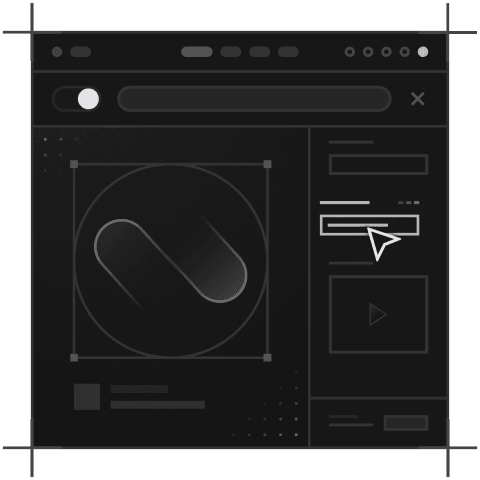
Payload’s admin panel is simple, clean, and fast. Editors can create, update, and manage content without training or digging through confusing menus.
Custom plugins and APIs
You can extend Payload however you like. Build custom fields, integrate external services, or add your own API routes. Perfect for teams that need deeper project-specific functionality.
Built-in authentication
Payload comes with user auth, roles, and access control baked in. No external auth service needed, and you can customize permissions to match your editorial workflow.
Tell us what you're building. We reply within one working day. Jono or someone on the team picks up every message personally.
Join the growing list of successful migrations


