
Slingshot Bio
Roboto converged Slingshot Bio's WordPress and Shopify sites into one headless Shopify build on Next.js and Sanity, instrumented end to end and AI-ready.
View case study


From Sitecore to Kontent.ai
Last verified:
The process
First we check the existing Sitecore and see whether the data is clean enough to move straight over to Kontent.ai, and plan around any auth walls or bot protection in the way.
Then we work out how Sitecore renders its pages and pull the content out, even without CMS access.
Everything extracted runs through our sanitization pipeline, which flags slop, normalizes structure, and leaves us clean content to work with.
Before anything moves, we agree the Kontent.ai content model with you, shaped around how your editors actually work.
We transform the content to the agreed schema and run a full dry run, so mappings and edge cases prove out before production.
Once the dry run is clean, everything moves into Kontent.ai in one controlled cutover.
Every old URL gets mapped to its new home with the right redirect, so rankings and link equity survive the move.
Finally, automated browsers sweep the new site for data issues, design regressions, and missing SEO signals.
Key pain points
Sitecore is one of the most expensive CMS platforms on the market. Licensing starts around $40,000-$65,000/year for basic XM, and a full XP or XC deployment with implementation lands in the $500,000+ range over three years. On top of the license, you need specialized .NET developers on retainer, and those contracts aren't cheap either.
The complexity catches most teams off guard. Upgrading between Sitecore versions is closer to a rebuild than an update. Content is stored in a tree structure that doesn't map cleanly to other systems, which makes migrations painful and locks you into the platform longer than you'd like. The editor UI still feels like a late-2000s enterprise portal, and anything beyond basic publishing needs developer involvement.
Most mid-sized companies using Sitecore pay for personalization and marketing automation they never turn on. If that sounds familiar, a headless CMS paired with a modern frontend gives you 80% of the useful capability at a fraction of the cost. We've moved clients off Sitecore and cut annual platform spend by 60-80% without losing functionality that actually mattered.
Key advantages
Calling your CMS "Kontent dot ai" is a brilliant way to convince people you’ve built an AI-powered future. And to be fair, the platform does have a clean editor, strong workflow tools, and a respectable multi-channel setup.
It's perfect for the kind of company that has more infosec members than it does have devs. But calling yourself an AI platform doesn’t mean you’re built like one.
Real AI-driven CMS platforms start at the foundation with structured content, flexible modeling, real-time indexing, and an architecture that doesn’t panic the moment you try something complex. Sanity doesn’t even market itself as "AI-first," but it’s been ahead of the curve for years. They shipped an embedding index before "AI CMS" was a pitch deck buzzword. We even built one of the first AI search tools on top of it.
So yes, Kontent.ai is great. If you want a polished interface and enterprise workflows, go for it. And if you’re dead-set on building your website there, talk to us first. We’ll walk you through it and maybe even find a better way before you spend six months discovering the limits yourself.

Intuitive content management
You shouldn’t need a week of onboarding to publish a paragraph. Kontent.ai nails this with a clean interface that doesn’t punish you for being a marketer instead of a developer.

Flexible content modeling
Build content the way your brain works. Modular, structured, reusable. No dev intervention every time marketing decides "we need one more field."
Strong API-first architecture
The APIs are predictable, well-documented, and don’t require wild workarounds. Everything connects the way it should and developers stay happy too.

Tech stack integration
React, Vue, Angular, or whatever framework you’re obsessed with this week, Kontent.ai plays nice with all of them and keeps deployments smooth.
Advanced image transformations
You can resize, crop, and optimize visuals without leaving the CMS. Think of it as an in-house designer that doesn’t complain about aspect ratios.
Real-time collaboration
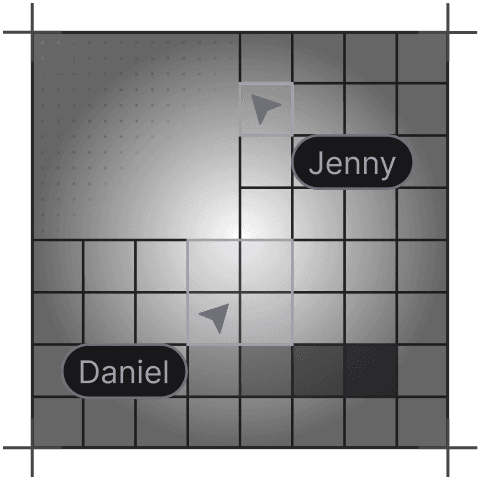
Writers, editors, and developers can work together without stepping on each other’s commits. Instant updates, fewer Slack messages, and zero "who overwrote my draft?" moments.
Tell us what you're building. We reply within one working day. Jono or someone on the team picks up every message personally.
Join the growing list of successful migrations


