
Slingshot Bio
Roboto converged Slingshot Bio's WordPress and Shopify sites into one headless Shopify build on Next.js and Sanity, instrumented end to end and AI-ready.
View case study


From Craft CMS to BaseHub
Last verified:
The process
First we check the existing Craft CMS and see whether the data is clean enough to move straight over to BaseHub, and plan around any auth walls or bot protection in the way.
Then we work out how Craft CMS renders its pages and pull the content out, even without CMS access.
Everything extracted runs through our sanitization pipeline, which flags slop, normalizes structure, and leaves us clean content to work with.
Before anything moves, we agree the BaseHub content model with you, shaped around how your editors actually work.
We transform the content to the agreed schema and run a full dry run, so mappings and edge cases prove out before production.
Once the dry run is clean, everything moves into BaseHub in one controlled cutover.
Every old URL gets mapped to its new home with the right redirect, so rankings and link equity survive the move.
Finally, automated browsers sweep the new site for data issues, design regressions, and missing SEO signals.
Key pain points
The elephant in the room is PHP. Craft requires a traditional LAMP-style hosting setup with PHP 8.2+ and MySQL or Postgres, which immediately rules out the serverless and edge-first hosting that modern JavaScript frameworks thrive on. You're managing servers, configuring OPcache, tuning database connections, and dealing with all the operational overhead that comes with self-hosted PHP applications. For teams already working in the JavaScript ecosystem, this is a hard sell.
Major version upgrades are genuinely painful. Craft doesn't support skipping major versions, so migrating from Craft 2 to 5 means stepping through every version in between. Each jump brings breaking changes to Twig templates, PHP requirements, and plugin compatibility. We've seen agencies spend weeks on upgrades that should have been straightforward. The Team tier starts at $279 per project and the Pro tier costs $399, plus $99 annual renewals for both. A free Solo tier exists for single-user projects, but costs still add up for agencies, especially when you factor in plugins and the recent trend toward stricter license enforcement in the control panel.
The community, while passionate, is relatively small compared to WordPress or even newer headless CMS platforms. When you hit an edge case or need help with a niche plugin, you may find yourself digging through GitHub issues rather than finding a ready answer. And while Craft Cloud exists as a managed hosting option, it's still maturing and doesn't yet match the deployment experience you'd get with platforms like Vercel or Netlify.
PHP hosting requirements
You need a traditional server with PHP 8.2+, MySQL or Postgres, and proper configuration. No serverless, no edge deployment, no modern hosting shortcuts.

Painful major version upgrades
You can't skip major versions, so upgrades mean stepping through each release with breaking Twig, PHP, and plugin changes along the way.

Smaller community and ecosystem
The community is dedicated but small. Finding answers to niche problems often means digging through GitHub issues or waiting on forum responses.
License costs add up
The Team tier is $279 per project and Pro is $399, both with $99 annual renewals, plus paid plugins on top. A free Solo tier exists for single-user projects, but costs add up quickly for agencies managing multiple client sites.

Learning curve for non-developers
Craft assumes your team includes developers. Content editors coming from WordPress or simpler tools will need time to adjust to the more structured interface.

Twig templating limitations
Twig is clean but limited compared to modern component frameworks. Complex UI logic gets awkward, and you're locked into whatever Twig version Craft supports.
Key advantages
BaseHub CMS is generating buzz among developers for its fast, collaborative, and AI-powered environment. We really like the Notion style editor. Feels great to drop a / and you type in what you want. E.g heading, or bullet points etc.
It's pretty good for creating and organizing content. Even for teams that are new to CMS platforms. Features like easy nested repeater fields, real-time branching for team workflows, and a built-in GraphQL API impress both solo makers and growing agencies. The platform’s Typesafe approach and AI-assisted writing tools help speed up the publishing process, while modern UI design keeps the learning curve gentle for newcomers.
If you can handle the initial information overload when you first spin up an environment it's an incredible tool for collaboration and rapid site scaffolding.
They also have a pretty good freemium pricing model (nodody has as good as Sanity) and strong documentation help projects get off the ground quickly, especially for Next.js and React use cases. Frequent updates and community engagement is high, and the core team that built it, are from a really nice design focused agency. So can't knock it that much.

Intuitive Notion-style editor
Drop a / to insert blocks. The Notion-style editor is intuitive: fast, light, and easy to navigate

Effortless nested repeater fields
You can nest and stack content structures. It’s one of the few tools where complex schemas don’t instantly become a crime scene.

Real-time content branching
Branching lets teams experiment, test ideas, and push updates without breaking production. Preview changes instantly, merge when ready, panic never.

Ready-to-use GraphQL integration
BaseHub ships with clean, auto-generated GraphQL APIs, so developers don’t waste hours wiring resolvers or schema stitching. Query, fetch, and ship.
Typesafe SDK support
You get fully typed responses out of the box, which means fewer runtime surprises and a smoother dev experience. Your IDE becomes your safety net.
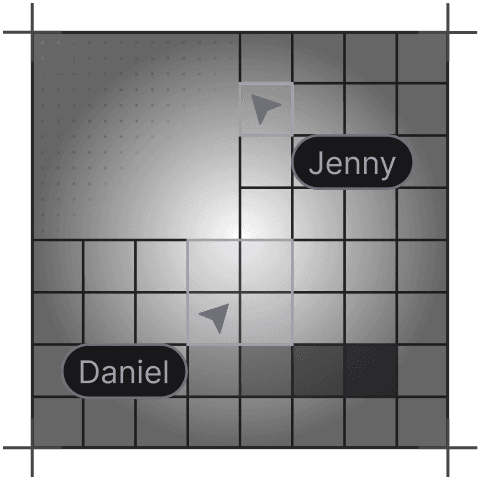
Collaborative team workflows
Teams can work together without stepping on each other’s toes, with clean approval flows and role-based editing. It’s built for fast-moving content teams.
Tell us what you're building. We reply within one working day. Jono or someone on the team picks up every message personally.
Join the growing list of successful migrations


