
Slingshot Bio
Roboto converged Slingshot Bio's WordPress and Shopify sites into one headless Shopify build on Next.js and Sanity, instrumented end to end and AI-ready.
View case study


From Builder.io to Directus
Last verified:
The process
First we check the existing Builder.io and see whether the data is clean enough to move straight over to Directus, and plan around any auth walls or bot protection in the way.
Then we work out how Builder.io renders its pages and pull the content out, even without CMS access.
Everything extracted runs through our sanitization pipeline, which flags slop, normalizes structure, and leaves us clean content to work with.
Before anything moves, we agree the Directus content model with you, shaped around how your editors actually work.
We transform the content to the agreed schema and run a full dry run, so mappings and edge cases prove out before production.
Once the dry run is clean, everything moves into Directus in one controlled cutover.
Every old URL gets mapped to its new home with the right redirect, so rankings and link equity survive the move.
Finally, automated browsers sweep the new site for data issues, design regressions, and missing SEO signals.
Key pain points
Builder.io looks impressive in demos but the reality of day-to-day usage tells a different story. The editor can be laggy, especially with more than 30 components on a page, and we have seen reports of outright crashes that lose unsaved work. The documentation is a persistent sore point. Developers on forums describe spending days trying to get basic integrations working because the docs are outdated or incomplete. For an agency setting up projects for clients, unreliable documentation means unpredictable timelines.
Pricing is another area where Builder.io catches teams off guard. The free tier exists but is quite limited, and costs ramp up quickly once you need features like roles, scheduling, or higher usage limits. We have seen complaints from freelancers and small teams about unexpected charges and slow support response times when trying to resolve billing issues. The lack of self-hosting is also a hard blocker for some clients with strict data residency requirements.
The biggest concern from our perspective is vendor lock-in. Builder.io's SDKs are deeply embedded in your frontend code, and if you ever need to migrate away, you are essentially rebuilding your page composition layer from scratch. There is also no real-time collaboration, so two editors working on the same page can overwrite each other's changes without warning.

Editor performance and stability
The visual editor becomes laggy with complex pages and has been reported to crash, losing unsaved work. Teams with content-heavy pages will feel this friction daily.

Outdated and incomplete documentation
Developers consistently report that the docs are confusing, outdated, or missing critical steps. Getting started takes far longer than it should for a tool that sells itself on speed.

Vendor lock-in risk
Builder.io's SDKs are tightly coupled to your frontend. Migrating away means rebuilding your entire page building and composition layer from scratch.

Limited collaboration tools
Builder.io now offers branching and peer review workflows in its Fusion product, but true real-time co-editing is still missing. Editors working outside of the Projects workflow can still overwrite each other's changes.

Pricing escalation
Costs ramp up quickly beyond the free tier, and teams report unexpected charges. Basic features like roles and scheduling sit behind higher-priced plans.

Slow and unresponsive support
Multiple users report delayed support responses, unresolved tickets, and difficulty getting refunds or cancellations processed in a reasonable timeframe.
Key advantages
Directus instantly wins points with us because, well… it has a rabbit for a logo. But beyond that, it's genuinely a solid database-first CMS. If you like the idea of a CMS that sits directly on top of your SQL database without any abstractions, Directus feels incredibly natural.
You can self-host it, tweak it endlessly, and treat your schema exactly the way you want. Editors get a no-code admin UI that feels polished, developers get REST and GraphQL out of the box, and teams get workflows, versioning, automations, and proper permission controls. It's flexible, fast, and a great fit if your content is really just structured data waiting for a smarter interface. If your project revolves around relational data and you want total control from database to API, Directus is one of the cleanest ways to build it.

Intuitive non-technical interface
Editors get a clean, no-code admin panel that feels more like a productivity tool than a CMS. Non-technical teams can handle content updates without pinging developers every five minutes.

Database-agnostic SQL integration
Directus plugs straight into your SQL database and turns it into an API instantly. If your data lives in Postgres, MySQL, MariaDB, or SQLite, it just works.
Field-level permission controls
You can lock down every field, table, and action with granular role-based permissions. Perfect for teams that care about security and don't want interns accidentally deleting production data.

Built-in REST/GraphQL support
Your entire database is instantly exposed as both REST and GraphQL endpoints. Just plug into your frontend and start shipping.
Extensive UI customization
Directus lets you tweak the interface, add custom views, tailor layouts, and build the exact editing experience your team needs. It feels like a CMS you can actually shape instead of fight.
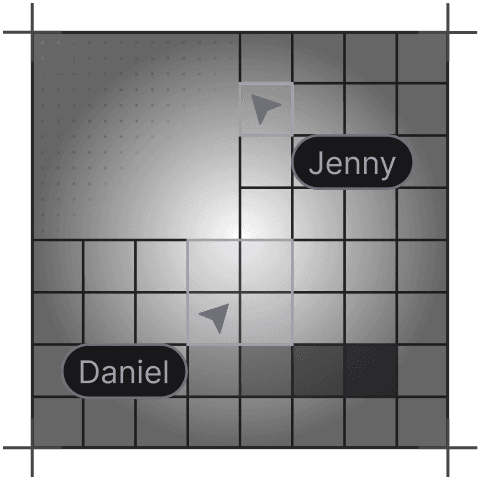
Real-time collaborative editing
Multiple contributors can work in the Studio at the same time without stepping on each other's toes. Collaborative editing shipped in February 2026, so drafts stay clean and the whole workflow feels built for modern teams, not 2010 intranets.
AI Assistant with image and PDF support
The built-in AI Assistant can process images and PDFs as well as text, and it works across OpenAI, Anthropic, and Google Gemini. It's a genuinely useful addition rather than a feature-list checkbox.
Tell us what you're building. We reply within one working day. Jono or someone on the team picks up every message personally.
Join the growing list of successful migrations


