


Headless Shopify means Shopify keeps running your checkout, inventory, and orders while you build the storefront customers see as a separate app, usually in Next.js. Should you? Only when a themed store genuinely can't do the job. For most stores it's an expensive answer to a question you don't have, with custom builds running from roughly $20,000 to $130,000+. Below is when a headless Shopify build actually pays off, and when it doesn't.
Maybe you've heard the word "headless" thrown around. Someone mentioned "composable commerce" at you in a meeting and you smiled and nodded. Now an agency is pitching you a Shopify headless build and you want to know if they're full of it.
We get asked about this a lot. So here's everything we tell clients, including the bits that talk them out of paying us.
From here on out, I am going to start firing from the hip and making some assumptions from what we've seen. Expect to catch strays.
Regular Shopify build
Vanilla Shopify is the default experience, and for most stores, it's the right one. A couple hundred products, some collection pages, a decent theme. Done.
Look at these. If your store fits this mould, stop reading and go build it.
Product listing page
This is a product listing page. As a general rule it has some kind of filter or search. If you're buying a theme, this page is the most important one to get right.

Run it through Google's structured data testing tool (opens in new tab) to check that products are getting listed properly with Google.
Product details page
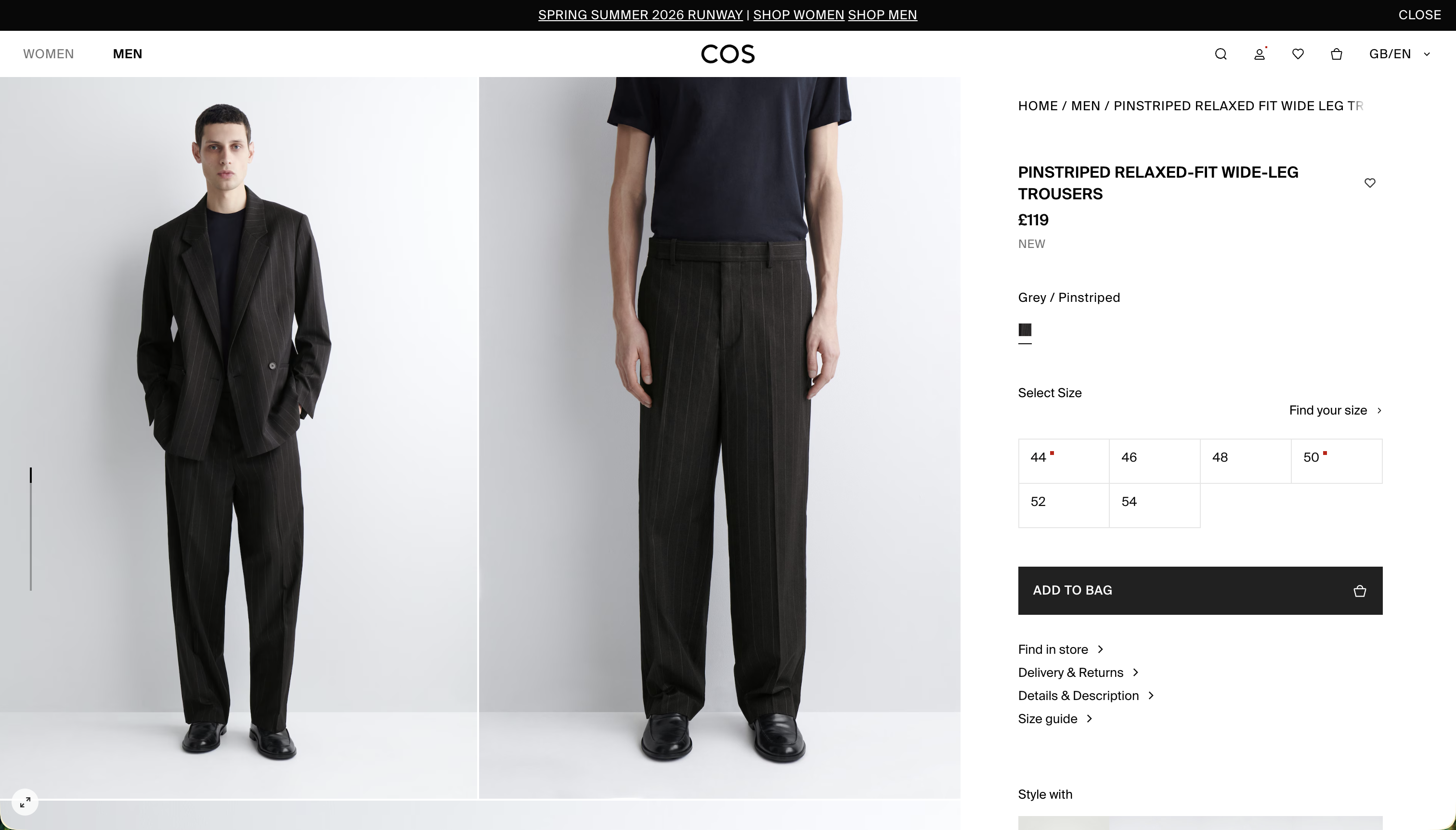
Same principle. This is a product detail page.
Positives
- Cheap. You can run your entire site for the cost of a Wetherspoon's breakfast. Plans start at $39/month, themes are free or $150-450 one-off. Just with less indigestion.
- The preview is really nice. It works whatever you throw at it
- Somebody already did the hard work building the theme. You provide good product imagery and a decent logo
Negatives
- Anything custom is probably a plugin, and that plugin will cost X% of your profits or a monthly fee that makes your eyes water. Average stores run 5-10 paid apps at around $60 each per month
- Performance is decent, not great. It degrades as your catalog grows into the thousands
- This option gets a bad reputation because of drop-shipping wankers on YouTube
Fully customised Shopify theme
I'll be completely honest: this is usually a waste of money. You generally get a worse experience than a default theme. Why? Because that theme above has been used by hundreds if not thousands of stores, open sourced, or sold across multiple environments. Edge cases have been found and fixed. A custom Liquid template, built from scratch by an agency and never tested at scale? You're going to find those edge cases in production, and you'll be paying agency rates to fix them.
Positives
- If you have complex filtering needs (faceted search, multi-attribute filters, custom product matrices) but still want Shopify's native checkout, apps, and payments, this is the sweet spot
- If your brand is so distinctive that no theme can contain it, this is the only vanilla option
- You're still in Shopify's ecosystem. Checkout, payments, and apps just work
Negatives
- You're paying agency rates to reinvent wheels that theme developers already perfected. Expect $20,000-50,000 for a mid-range build, $50,000-130,000+ for something complex
- Liquid developers are harder to find than JavaScript developers. The talent pool is shrinking as React and headless pull developers away
- Every edge case is yours. Gift cards breaking on mobile Safari? Your problem
- The agency that built it becomes your permanent dependency. Retainers run $1,500-4,000/month
- Performance is still Shopify infrastructure. You're paying custom prices for theme-tier speed
What "headless" actually means
Before we get into the headless options, a quick explanation for anyone who's been nodding along without fully knowing what this means.
A normal Shopify store is "monolithic." Shopify handles everything: the product data, the page templates, the checkout, the hosting. It's one system. When a customer visits your store, Shopify's servers render the page using Liquid templates and send it to the browser.
A headless Shopify store splits this into two pieces. Shopify still handles the commerce backend: products, inventory, pricing, cart, checkout, orders. But the frontend (what customers actually see and interact with) is a completely separate application. It talks to Shopify through the Storefront API (opens in new tab), fetching product data and managing carts via GraphQL.
Your frontend can be built with anything. Next.js, Remix, Astro, SvelteKit, a native mobile app. It runs on its own hosting (Vercel, Cloudflare, Shopify's Oxygen). The only connection to Shopify is API calls and a redirect to Shopify's hosted checkout when the customer is ready to pay.
You get total control over the frontend. You also get to maintain two systems instead of one. And you lose access to most of Shopify's 8,000+ app ecosystem, because those apps inject into Liquid themes. Every review widget, loyalty programme, upsell tool, and search plugin needs an API-based replacement or a custom build.
Nobody talks about the app problem enough. It's where the budget blowouts happen.
No spam, only good stuff
Subscribe, for more hot takes


Hydrogen headless build
Hydrogen (opens in new tab) is Shopify's official headless framework. It's built on React Router (formerly Remix). Not Next.js.
Why did I specify that? Because the framework lineage is messy. Remix merged into React Router, and Hydrogen is built on React Router 7. Meanwhile, the Remix team announced that Remix v3 is replacing React with a fork of Preact. It's still a React-like API, but it's not React. The ecosystem splits, the libraries you relied on may or may not work, and the reference material on the web becomes unreliable. If you're building with AI agents or code generation, you'll be constantly correcting tools that assume "Remix means React."
Hydrogen deploys to Oxygen (Shopify's edge hosting), which is available on all Shopify plans from Basic upwards. It comes with Shopify-specific utilities baked in.
When Hydrogen makes sense
- You want headless performance without wiring up the Storefront API yourself
- Your team knows React Router, or is willing to commit to learning it
- Shopify's metafields and metaobjects cover your content needs (blogs, basic landing pages, nothing complex)
When Hydrogen is the wrong call
- You need a proper CMS beyond products. Metafields are not a content management system
- Your team already knows Next.js and you'd rather not context-switch
- You want Vercel's preview deployments, analytics, and edge network
- The site isn't primarily a storefront. If content and commerce share equal billing, Hydrogen will fight you
Positives
- Storefront API integration is solid and well-documented
- Oxygen's edge caching is fast. Properly fast
- Customer accounts, cart, and checkout work without drama
- You're writing React, not starting from zero
Negatives
- It's React Router. Next.js teams will need adjustment time, and the framework's future direction is uncertain
- Oxygen is not Vercel. Smaller ecosystem, fewer tools, limited logging, no monorepo support
- Locked into Shopify's checkout regardless
- Content management stops at metafields and metaobjects. For anything editorial, you're bolting on a CMS anyway
- When something breaks, you're debugging across React Router, Shopify's API, and Oxygen. Bring coffee
Next.js + Sanity + Shopify build
This is the best option. I would say that.
It's also the most likely to go wrong. It relies on having an agency that actually understands all three systems, or an internal team that does. We've inherited builds where they didn't. It wasn't pretty.
The architecture
Three layers:
- Shopify handles the commerce engine: products, inventory, orders, payments, checkout. It's the source of truth for anything with a price tag
- Sanity handles content: blogs, landing pages, the story around your products, SEO metadata. Everything your marketing team touches daily. Sanity Connect (opens in new tab) syncs Shopify products into Sanity so editorial content can reference product data without duplicating it
- Next.js stitches them together. Server Components fetch from both APIs, Suspense streams content progressively, and Vercel's edge network handles caching and delivery
This one's for the devs
If you're a marketer, skip to the next section. Devs, carry on.
Next.js is the best framework for this, but do not build account pages custom unless you absolutely have to.
Two approaches:
- Custom build using Sanity Connect. Product data stays in Shopify. The story around the product lives in Sanity. Your frontend queries both and merges at the component level
- Use Shopify's Storefront API directly with
@shopify/hydrogen-react(opens in new tab). This is a framework-agnostic React library that gives you cart management, product hooks, money formatting, and checkout redirects without committing to Hydrogen or Remix. It works in any React app
For data fetching, the pattern is: cache product pages with ISR, trigger revalidation via Shopify webhooks when products or prices change, and always validate price and stock server-side when adding to cart. Cached pages serve in under 50ms. Shopify Liquid themes run at 300-800ms.
Positives
- You own the frontend. All of it
- Sanity's editing experience makes Shopify admin look like a spreadsheet
- Vercel's deployment pipeline, preview environments, and analytics
- The React ecosystem you already know
- ISR and streaming mean fast pages without painful build times
- SEO fully in your control. Structured data, meta tags, sitemaps, all yours
Negatives
- Three systems. Three sets of docs. Three potential failure points
- You need a team that understands all three, or an agency that does
- Higher initial build cost than any other option on this list
- Shopify Plus required for checkout customisation. $2,300-2,500/month before you write a line of code
- Shopify to Sanity sync needs monitoring. Products change, prices change, webhooks occasionally fail
- If something goes wrong, you're debugging three platforms at once
What the Next.js build unlocks
Faster pages are the easy win. The bigger one is that content can reshape commerce in ways a Liquid theme can't. Here's what that looks like on builds we've shipped.
Compliance docs that update everywhere at once
Our clearest example is Slingshot Bio, a biotech company selling engineered cells. Every product carries regulatory paperwork: a Technical Data Sheet, a Safety Data Sheet, a Certificate of Analysis. Those documents change, and when they do they have to update everywhere the product appears.
We modelled each document once in Sanity and tagged it with the things it applies to: a product family, a brand, a purpose. The product page collects its own identifiers and pulls every document whose "applies to" set overlaps, resolved at query time:
Update one Safety Data Sheet and it propagates to every product that shares that family, brand, or purpose. Nobody re-edits a hundred product pages. Sanity Connect for Shopify (opens in new tab) keeps the catalogue mirrored from Shopify into Sanity, so commerce data stays in Shopify while the editorial layer wraps around it.
The same problem shows up in any spec-heavy or regulated catalogue: industrial parts, chemicals, medical devices, B2B components. Shared documents that have to stay current across hundreds of products. References solve it once.
Collection pages that filter on your own taxonomy
A stock Shopify collection filters on what Shopify knows about a product: vendor, type, tag, price, availability. That's enough until your catalogue has attributes Shopify was never built to hold.
Slingshot's products carry taxonomies that live in Sanity instead: brand, primary purpose, application, product family. The collection page filters on both sources at once. Shopify's Storefront API returns the products and their native facets, a GROQ query returns the handles that match the Sanity taxonomy, and the page intersects the two per request.
The customer sees one filter bar. Behind it, each system answers the half of the question it's good at. A Liquid theme can bolt a search app on top, but it can't filter a collection on data that lives outside Shopify. That ownership runs through the buying journey too: on a B2B catalogue you can turn a cart into a downloadable quote, which Shopify's hosted flow won't do for you.
Structured data that stays correct
Because the storefront builds pages from synced data, the structured data comes from that same data. No plugin guessing at your markup. The schema.org/Product JSON-LD is generated from the exact product object the page renders:
A price changes in Shopify, a webhook triggers ISR revalidation, and the page and its structured data update together. The version we ship does more than the snippet above (per-variant offer URLs, guards for variants with broken prices), but the principle holds: the markup and the page can't disagree, because they come from the same object. The same revalidation keeps Sanity-driven content current.
Pages that machines can read
A growing share of your visitors are agents. ChatGPT, Claude, and Perplexity render JavaScript poorly, stumble on navigation and cookie banners, and work with small context windows.
Owning the frontend lets you serve them a clean version of any page through content negotiation (opens in new tab): the same URL returns markdown when an agent asks for it and HTML when a browser does. On our own site the markdown twin of a page is roughly 94% smaller than the HTML. For a regulated catalogue where an AI buyer is comparing specs, that means getting cited accurately instead of getting skipped. We wrote up the full pattern in our Next.js AEO/GEO guide. On the Slingshot build we go a step further and publish a machine-readable API catalogue at /.well-known/api-catalog, so an agent can discover the storefront and content endpoints instead of guessing at them.
Commerce an agent can shop
We pushed that idea further with Turbo Start Aisle, an AI shopping assistant built on top of our Shopify starter. It uses Sanity's Agent Context (opens in new tab) over MCP to give the assistant structured, read-only access to the catalogue, so it can narrow products by brand, size, and colour and render real product cards inline.
Loading video player…
None of that works when Shopify renders your pages. You own the frontend to decide what a machine sees.
Two builds on the same stack

Shopify Plus
Slingshot Bio
The regulated-catalogue build. Compliance documents are modelled in Sanity and referenced through categories, so they surface across every product in a line automatically, with structured data and agent-readable pages on top. A standard theme wouldn't survive the first compliance review.
- Shopify
- Sanity
- Next.js
- Vercel

Standard Shopify, no Plus
Jamb
A luxury antiques and lighting replatform on standard Shopify. We merged two legacy URL spaces into one and held the rankings through the cutover: every URL mapped before launch, redirects shipped on launch day, internal links wired through CMS references rather than hardcoded slugs.
- Next.js
- Sanity
- Shopify
- Vercel
One sells cells, one sells antiques, and both run on Next.js, Sanity, and the Storefront API. The CMS migration service covers the replatform mechanics in depth.
Do you actually need Shopify Plus?
This is the question nobody answers clearly. Shopify Plus costs $2,300/month on a three-year contract, $2,500/month on a one-year. That's up from the ~$2,000 figure you'll see in older blog posts.
You don't need Plus for:
- Using the Storefront API. It works on all plans, with no rate limits on storefront queries
- Building a headless storefront with any framework
- Hosting on Oxygen. Available on Basic and above
- Cart management via the Cart API
- The new Customer Account API with SSO
You do need Plus for:
- Checkout customisation. This is the big one. Checkout Extensibility (custom fields, layout modifications, upsells in checkout, Shopify Functions) is Plus-only. Without it, your headless checkout is Shopify's default, take it or leave it
- Running more than one headless storefront. Plus gets 25. Standard plans get one
- B2B and wholesale: company profiles, custom pricing, net payment terms
- Admin API rate limits that can handle heavy inventory syncs (500 points/second vs 50 on standard)
- Expansion stores for multi-region setups (up to 9 included)
The honest answer: if your headless store reads products, manages a cart, and sends customers to Shopify's standard checkout, you can do it on a Basic plan. The moment you need to customise the checkout experience, run multiple storefronts, or sell B2B, you need Plus.
One thing to watch: Shopify deprecated legacy customer accounts in February 2026. Multipass, the old way to maintain auth between your headless frontend and Shopify's checkout, is being phased out. The new Customer Account API with OAuth replaces it and works on all plans, but if you're on an older headless build using Multipass, migration is coming whether you want it or not.
What it actually costs
Everyone says "it depends." Here are real numbers.
| Vanilla Shopify | Custom theme | Hydrogen | Next.js + CMS + Shopify | |
|---|---|---|---|---|
| Initial build | $0-6,000 | $20,000-130,000 | $50,000-250,000 | $65,000-300,000 |
| Monthly platform | $39-399 | $105-399 | $2,300-2,500 (Plus) | $39-399 without Plus $2,300-2,500 with Plus |
| Monthly hosting | Included | Included | Included (Oxygen) | $20-100 (Vercel) |
| Monthly CMS | N/A | N/A | N/A | $0-45 (Sanity) |
| Monthly apps | $60-200 | $60-200 | Less, but pricier | Less, but pricier |
| Agency retainer | $500-10,000 | $5,000-25,000 | $5,000-25,000 | $5,000-25,000 |
| Year-one total | ~$12,000 | ~$100,000 | ~$230,000 | |
| Year-two onwards | ~$8,000/yr | ~$65,000/yr | ~$100,000/yr |
You don't always need Plus for a headless Next.js build. If you're sending customers to Shopify's standard checkout without customisation, a Basic or Grow plan works fine with the Storefront API. That saves you $2,000+/month.
These assume mid-range builds and a standard agency retainer. Your numbers will vary based on complexity, integrations, and where your agency is based.
A few things the table doesn't show:
- App replacement costs. Going headless means losing access to most Shopify apps. Reviews, loyalty programmes, upsells, search. Each one needs an API-based alternative or custom build. Budget an extra $7,000-25,000 for replacements
- Vercel overages. Traffic spikes (flash sales, viral moments) can push hosting costs up unexpectedly. Set spend caps
- Monitoring. Distributed systems need proper observability. Sentry, OpenTelemetry, error tracking. Add $25-65/month
Five questions before you go headless
Skip the "should I go headless" debate and answer these instead.
1. Does your content need more than Shopify can give it?
If your product pages are just photos, specs, and a buy button, Shopify's admin is fine. If you need editorial landing pages, product storytelling beyond a description field, blog content that ties into products, or marketing teams editing pages daily, you need a proper CMS. That's a headless signal.
2. Is your team (or agency) comfortable with React and APIs?
Headless means your frontend team owns everything. Routing, caching, SEO, performance, accessibility. If your team builds Liquid themes, this is a different discipline. If they build React apps, they'll feel at home.
3. Can you afford the ongoing cost?
The build is the cheap part. Headless stores need continuous maintenance: API version updates (Shopify ships quarterly), framework upgrades, cache invalidation debugging, webhook monitoring. Budget $5,000-25,000/month for ongoing care depending on complexity.
4. Do you have fewer than 10,000 products?
Headless shines for stores where the product story matters more than the product count. Luxury goods, bespoke items, complex configurators. If you're running a catalog with 50,000 SKUs and basic filtering, a good Shopify theme with Algolia search will outperform a headless build for a fraction of the cost.
5. Do you need checkout customisation?
If the answer is no, you can build headless on a Basic Shopify plan and save yourself $2,000+/month. If the answer is yes, you need Plus, and you should be very specific about what "customisation" means. Adding a gift message field is different from rebuilding the entire checkout flow.
The Storefront API in plain English
This section is for the CTO briefing a team, or the founder trying to understand what their agency is building.
The Storefront API (opens in new tab) is Shopify's customer-facing API. GraphQL-only, no REST. You query it for products, collections, and content. You mutate it to create carts, add items, apply discounts, and attach customer identity. When the customer is ready to pay, the cart object gives you a checkoutUrl that redirects to Shopify's hosted checkout.
What it can do: product browsing, collection filtering, cart management, customer auth, search, predictive search, metaobject queries.
What it cannot do: create or edit products, manage inventory, process orders, handle refunds, manage fulfillment, subscribe to webhooks. Those require the Admin API, which runs server-side and is subject to rate limits based on your plan.
Authentication comes in two flavours. Public access tokens are safe to use in browser code and scale per buyer IP. Private access tokens must stay on your server and should include the buyer's IP in a header so Shopify can differentiate traffic.
Shopify removed rate limits on the Storefront API entirely, so your storefront won't get throttled during flash sales regardless of your plan. The Admin API still has rate limits: 50 points/second on standard, 500 on Plus.
One practical note: the old Checkout API was shut down in April 2025. If you're reading tutorials that reference checkoutCreate mutations, they're outdated. Everything goes through the Cart API now.
Things to consider
Before committing to headless, a few realities worth understanding.
You don't own checkout
Hydrogen, Next.js, whatever you use: customers are redirected to Shopify's hosted checkout. You can customise it with Checkout UI Extensions on Plus, but you're not building a custom checkout from scratch. Your brand experience ends at the cart. Even with Plus and Checkout Extensibility, you're adding blocks and extensions within Shopify's checkout UI. You do not control the DOM.
If you need to own checkout completely, Shopify isn't the platform.
Account pages are a rabbit hole
Shopify deprecated legacy customer accounts in February 2026. The old Multipass authentication (which let you pass authenticated users from your headless frontend to checkout without re-login) is being phased out.
The replacement is the Customer Account API (opens in new tab), which uses OAuth 2.0 with PKCE. It maintains sessions properly across your frontend and checkout, supports social login and email/phone OTP. It's more complex to implement but solves the "customer logs in twice" problem that plagued the legacy system.
Our advice: don't build custom account pages. Redirect account management to Shopify's hosted pages and spend your development budget on things that differentiate your store.
The app ecosystem problem
This is the one that catches people off guard. Shopify's app store has 8,000+ apps. Reviews, loyalty programmes, upsells, live chat, search, email capture. The vast majority inject into Liquid themes and do not work with headless storefronts.
Going headless means auditing every app you use and finding API-based alternatives or building the functionality custom. Klaviyo and Yotpo have APIs. Smaller apps often don't. Budget for this.
Before you go headless at all
Consider whether these solve your actual problem without the headless overhead:
Checkout UI Extensions. Custom fields, upsells, loyalty points injected into Shopify's checkout. React components, no headless required.
Shopify Functions. Custom discount logic, delivery restrictions, payment rules based on cart contents. Custom backend logic during checkout.
Online Store 2.0 + metafields. The newest Liquid themes are good. Better than most developers give them credit for. Combine them with metafields and metaobjects for custom content, and you can build surprisingly flexible storefronts without leaving Shopify.
Steal our code
We've been building headless Shopify storefronts with Sanity and Next.js long enough to know what works and what's a waste of time. So we open-sourced it.
turbo-start-shopify (opens in new tab) is our production starter for headless Shopify builds. It uses Sanity Connect for Shopify (opens in new tab) to sync product data into Sanity, pairs it with a full Sanity content layer (page builder, blogs, landing pages, product editorial), and runs on Next.js with the performance patterns we've covered in this post.
The focus is product story, not product volume. This isn't built for stores with 50,000 SKUs and basic grid layouts. It's built for brands where the narrative around the product matters as much as the product itself. Luxury goods, bespoke manufacturing, specialist retailers. Stores where a customer reads before they buy.
It's also the foundation for more unusual commerce needs, like the Slingshot Bio build above, where regulatory compliance lives inside the product journey rather than bolted on after. A standard Shopify theme wouldn't survive the first stakeholder meeting.
The starter is public now. Go poke around, steal what's useful, and if you break something, open an issue.
If you're weighing up your options and want a second opinion, we do this quite a bit. We've built these storefronts, inherited ones that needed rescuing, and talked plenty of clients out of headless when it wasn't the right call. Get in touch and we'll tell you what we actually think.