# 11 top tips for SEO with Sanity & Next.js
> 11 SEO tips for Next.js and Sanity sites: image optimization, structured data, GROQ query efficiency, Vercel analytics, and bundle size reduction.
**Published:** 2023-02-03 | **Updated:** 2026-07-23 | **Categories:** How To, Sanity, Next.js
---
> **There's a fuller, more up-to-date version of this post**: We've rewritten our Sanity AEO/SEO playbook from scratch for 2026. It covers everything below plus JSON-LD, AEO (answer engine optimisation), content negotiation for agents, llms.txt, accessibility, and the feedback loop that catches drift. If you're starting fresh, read that one instead. [Read the 2026 AEO/SEO guide](/blog/aeo-seo-best-practices-for-sanity)
## 1. Static/server-side rendering
Use [Next.js](/services/nextjs)'s SSR or SSG feature to speed up page rendering. If you're pulling from an API make sure you're not pulling too much data down onto the page. Make sure it's specific rather than pulling a whole bunch of junk that you never actually use.
### Bad time
This is bad, you're going to pull basically everything and only actually use like: *title, categories, portable text*
```groq
*[_type "article"] | order(_updatedAt desc){
...
categories[]->{...}
}
```
### Good job
Much better, now you're actually specifying what you want and not taking a truckload of data onto the page.
```groq
*[_type "article"] | order(_updatedAt desc){
title,
portableText,
categories[]->{title}
}
```
## 2. Get your schema right
You've spent those late nights searching for junk that you want to fill your house with. Well, that only appears because of [Structured Data](https://developers.google.com/search/docs/appearance/structured-data/intro-structured-data)
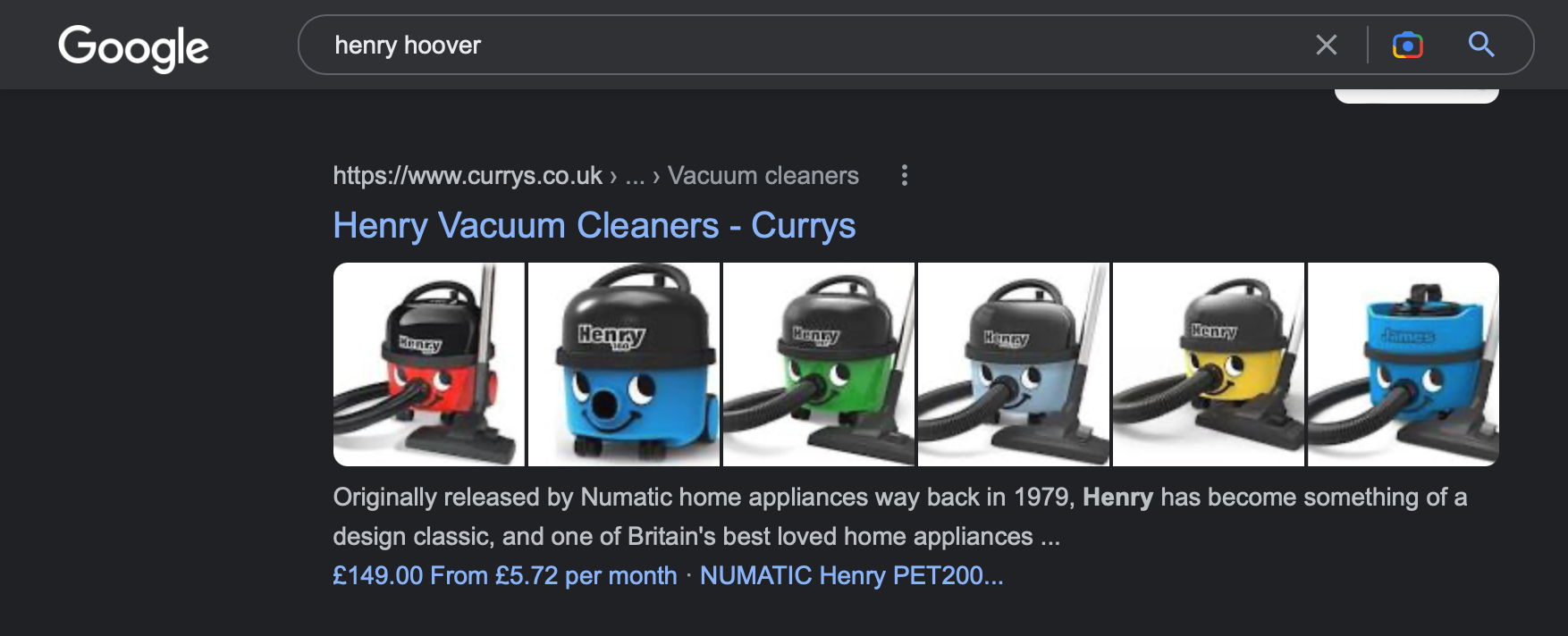
Guess what? It's even easier with [Next SEO](https://github.com/garmeeh/next-seo). You can essentially nest this within your actual components to ensure you're getting the most out of your SEO. So if you add a product to your page, such as "Henry", make sure you're including the [Product](https://github.com/garmeeh/next-seo#product) structured data within there so Google understands.
## 3. Use Sanity's image URLs
Do you know what takes up the largest amount of data on nearly every website? **Images**
That's why it's important that you either use [Sanity's image url resolver](https://www.sanity.io/docs/apis-and-sdks/image-urls) or [Next/Image](https://nextjs.org/docs/app/api-reference/components/image). If you're like us, we use both.
What that means is when somebody visits your website, they're not spending ages looking at a screen loading and blurring images in. If you're looking at doing this yourself. Here's our typical go-to Next/Image component.
```typescript
```
## 4. Use "getImageDimensions" to size the image
You might have noticed the width and height of the image above. Not many people even know this exists as a function within Sanity.
[But it does](https://github.com/sanity-io/asset-utils/blob/main/README.md#getimagedimensions)
If you use the above, it ensures you're sizing the image to the same aspect ratio as the original. So you're not going to get any stretched images or wonky looking pixels.
## 5. Make sure you're only using one ``
This is an interesting topic that focuses far more on how you design your structured content rather than the page itself. Essentially make sure you're only using one `` on the page, which can easily be duplicated with **Portable Text**.
Do you know how we resolve it?
Completely remove **"Heading 1"** from portable text and force your `` to be populated by a title string. It always ensures you only have a single `` on the page, and a content editor doesn't accidentally duplicate it.
## 6. Get your keyword targets spot on
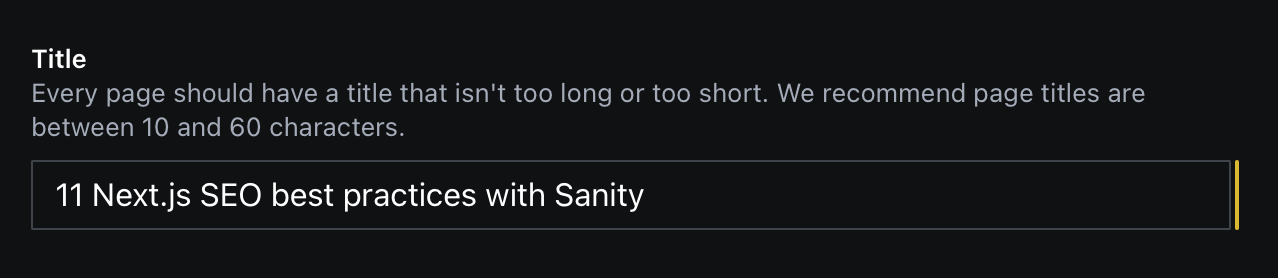
So, remember how we suggested to only use one ``. Well now you've got to ensure that the `` is populated to keywords that you want to make sure your page ranks for.
So for example if you're going to rank for Sanity Enterprise Agency, you might want to make sure the `` is set as:
```html
Sanity Enterprise Agency
```
*Pretty simple right...*
## 7. Actually pay for Vercel analytics
We reckon Vercel analytics is probably one of the most overlooked essentials when optimising your SEO. *Here's the skinny, *it does a lot of what Google analytics does, it can bypass adblocks and from the get-go it can tell you where you're getting most of your traffic from. It's extremely useful and a snip at $10 a month.
## 8. Vercel analytics part 2
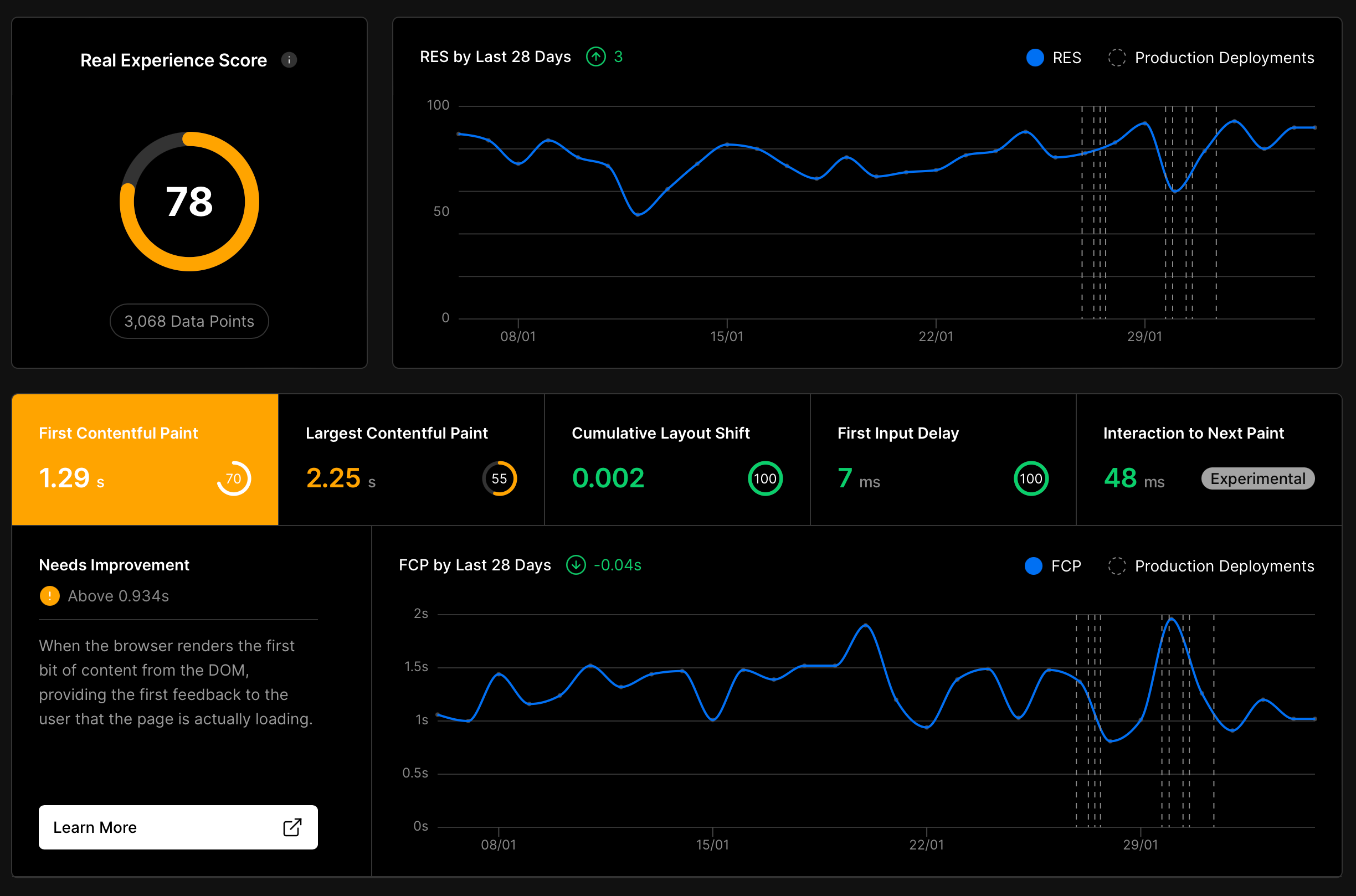
Okay we've talked about actual analytics so far, however, something that has become more and more of a focus with larger sites is actual on-device performance.
Vercel analytics can tell you all about what is causing issues on your site **performance** wise. Take the image below, we've managed to smash **Cumulative Layout Shift**, however, our **First Contentful Paint** and **Largest Contentful Paint** *sucks*, so we know exactly what we need to do to improve our performance.
> **Sanity CMS development**: SEO-optimized Sanity and Next.js builds with structured data, performance tuning, and content architecture. [Learn more](/services/sanity)
## 9. Use the Sanity SEO pane
What's a better way of understanding a pages SEO than getting a specific pane that tells you exactly what can be improved SEO-wise.
If you're looking for some top-level tips, there's nothing better than configuring the [SEO pane](https://www.sanity.io/plugins/seo-pane) to help you out when building out your pages. It's one of the first things we set up on every [Sanity project](/services/sanity).
## 10. Bundlephobia
No, this isn't the fear of being packed away inside of a cardboard box... It's a tool to analyse package sizes with libraries you might be using.
I'll give you an example. If you use FontAwesome and import a library, you're going to end up with about a 3Mb bundle, before you even start on a website.
## 10 (and a half). Next.js + Webpack Bundle Analyzer
Carrying on from the bundlephobia above, you can [use this tool](https://www.npmjs.com/package/@next/bundle-analyzer) to see what makes up each package on your final website. This is **exactly** how we found out that a good chunk of our initial load was spent on a couple thousand icons...
Now we've got a solution using Next/Image with fontawesome, that we'll probably talk about at some point... But there's no blog post yet... Watch this space.
## 11. Speed up your content flow
We are probably a shining example of churning out content that we hope is actually useful. Yes, it's barely coherent a lot of the time and is littered with cat pictures, but the reason for doing so is *"because it's more fun".*
If you can find pain points of your content team such as "Can I source my imagery directly from Unsplash inside of Sanity" - [solve those problems](https://www.sanity.io/plugins/sanity-plugin-asset-source-unsplash). Or if you're like us, just use [Open Ai to generate your images for you](/blog/revolutionizing-visual-content-creation-with-sanityio-and-openai). A well-configured [Sanity Studio](/services/sanity) should make content creation feel effortless, not like a chore.
Naturally, the more your content editors like using your editor, the more they will write, the faster they will write it, and to quote "Field of Dreams":
> "If you build it, they will come."
## Related posts
- [Setting up live preview for sanity on next 13.4 using drafts mode](/blog/setting-up-live-preview-for-sanity-on-next-134-using-drafts)
- [The best Next.js & Sanity Image component](/blog/the-best-nextjs-and-sanity-image-component)
- [Sanity top tip: the Grandma test](/blog/sanity-top-tip-the-grandma-test)